EcosystemInspection exported by @siglo/core) correlated by stack ID, runtime step ID, and workflow attempt. Telemetry is non-intrusive, strictly bounded, and fail-closed: diagnostic failures never alter workflow execution outcomes.
1. Opt-in Content Capture & Redaction Contract
Zero-Capture Default
By default, Siglo captures only metadata (origins, status codes, token usage, durations, and categorical verification results). No request/response bodies, prompts, raw outputs, or message content are captured unless explicitly opted in.Configuring Capture
To capture content, supply anInspectionCapturePolicy to httpStep, aiStep, sendNotificationStep, or sendInteractiveApprovalStep:
Allowed Capture Fields by Kind
Multi-Layer Sanitization & Defense-in-Depth
Siglo applies several layered safeguards to prevent secret leakage:- Mandatory Application Redactor: A
redactcallback is mandatory when configuring capture. Ifredactis omitted or not a function, capture is skipped. Returningundefinedfromredactomits that field completely. - Immutable Clones: The redactor always receives a structured clone of execution data. Any mutation within the redactor cannot affect actual workflow execution.
- Fail-Closed Execution: If an application redactor throws or encounters serialization errors, the field is silently dropped. Workflow execution proceeds unaffected.
- Hardcoded Credential Key Scrubbing: Core automatically redacts common credential keys (
token,password,secret,authorization,apiKey,client_secret) during telemetry preparation. - URL & Bearer Token Omission: Embedded
http://andhttps://URLs are stripped to[URL omitted]to prevent token leakage in query strings. Bearer and Basic headers are replaced with[Credential omitted]. - Strict Header Allowlist: Captured headers are restricted exclusively to:
acceptcontent-typecontent-lengthcache-controlretry-afterAll other request and response headers are automatically discarded.
- Unicode-Safe Byte Limits: Field captures are strictly bounded to
Math.min(maxBytes, 4096)UTF-8 bytes. Truncation loops over full Unicode code points rather than raw byte slices, ensuring no malformed UTF-8 characters or surrogate splits occur. - Context Telemetry Suppression: Once a workflow stack executes an ecosystem step, generic runtime context, output summaries, and failure errors are suppressed for that stack (
hasEcosystemContent(stackId)). This prevents later workflow steps from inadvertently leaking earlier sensitive responses via merged execution context. - No Client-Side Unmasking: Discarded or redacted values are omitted before storage and transport. The web dashboard provides no mechanism to unmask server-redacted data.
2. Inspector Behavior & Web UI Panels
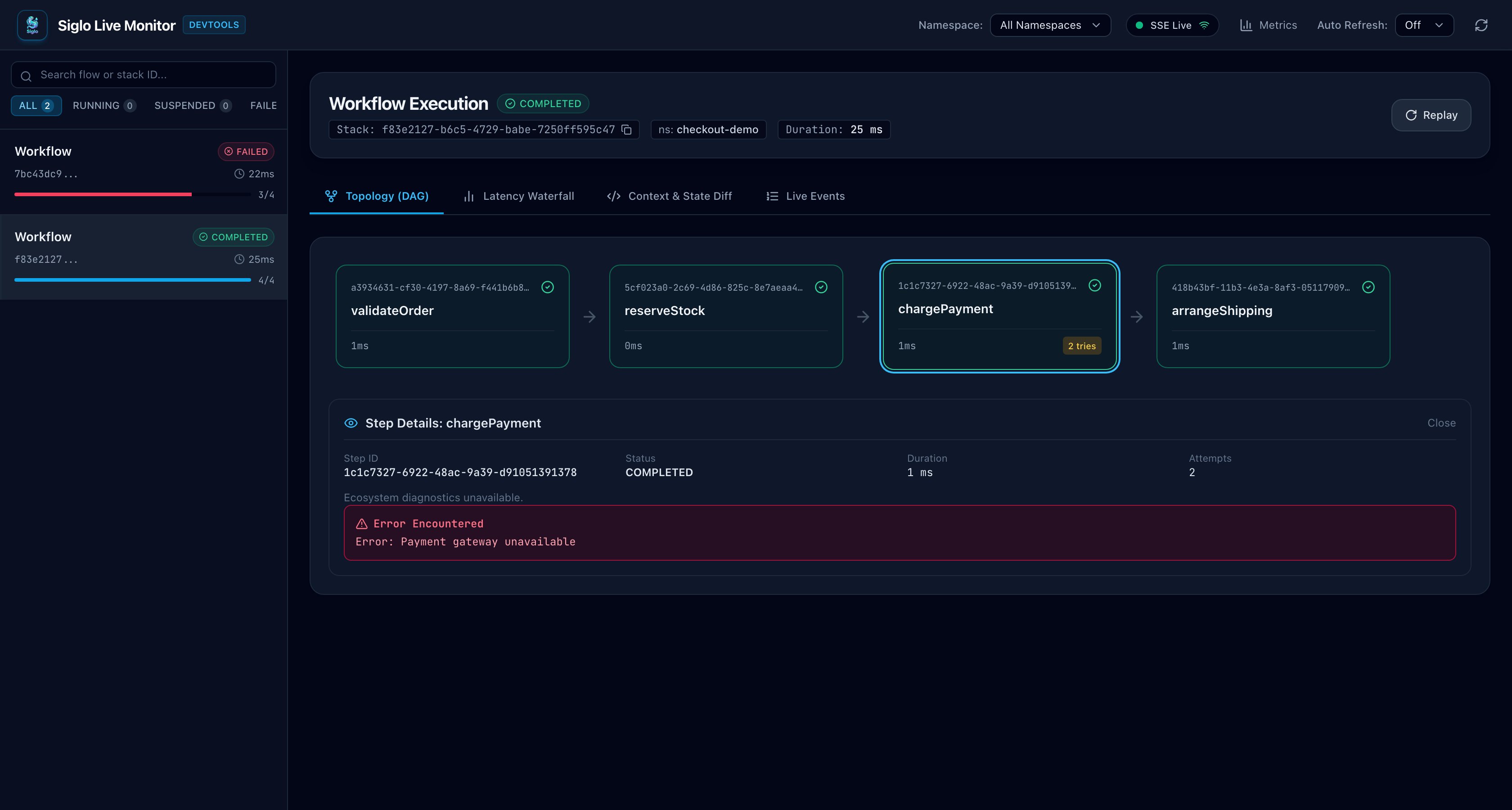
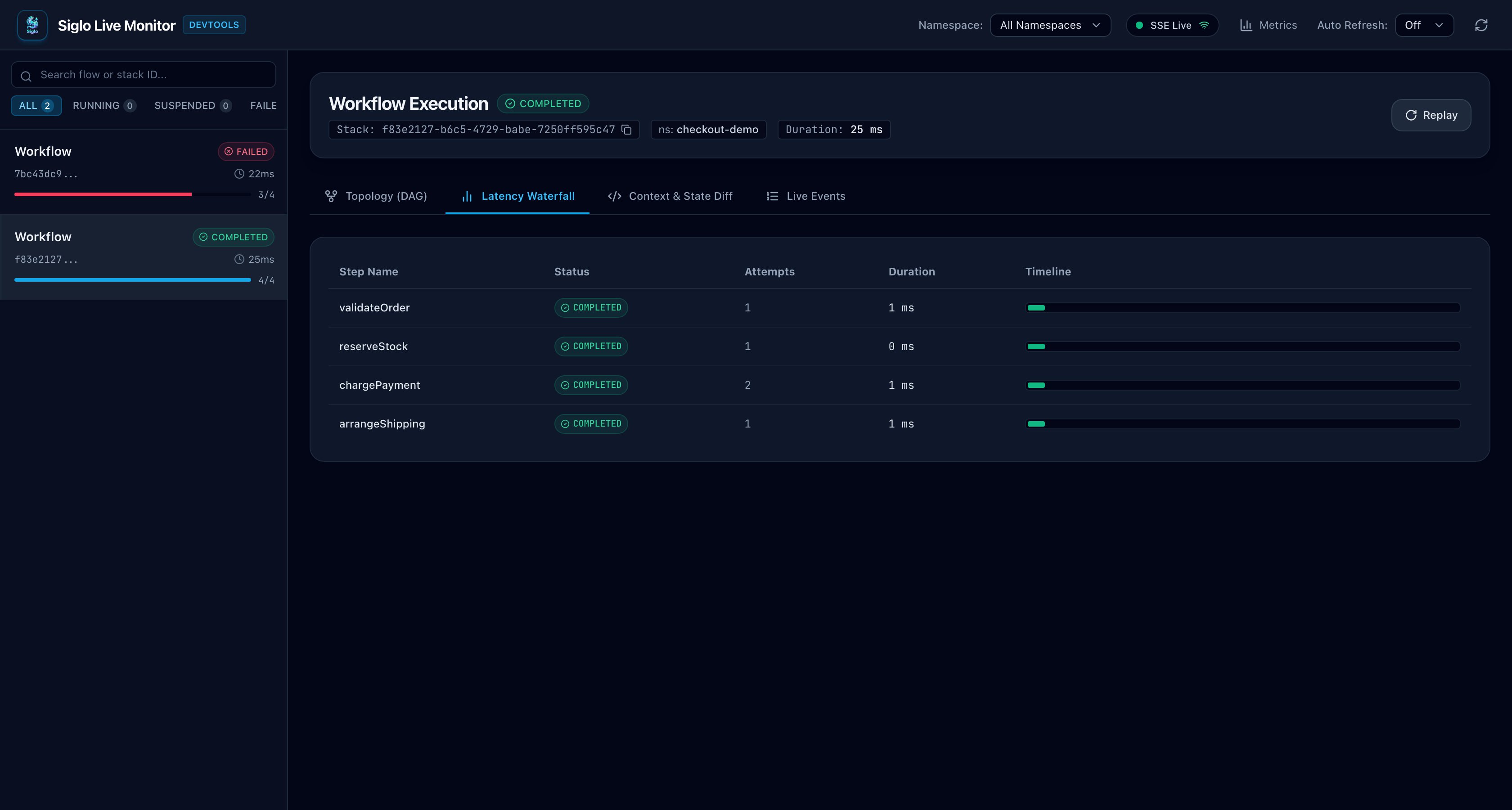
The Siglo Web Monitor UI provides interactive diagnostics through the DAG visualizer andStepDetailCard inspector panel:
HTTP Inspector
The HTTP inspector visualizes client request execution, retry policies, and egress assertions:- Origin Isolation: Displays method, status, URL origin, duration, and trace ID. The URL path and query parameters are stripped before emission.
- Per-Attempt Durations: Measures duration inclusive of response body streaming/consumption, but excludes subsequent sleep delay before retry.
- Retry Diagnostics:
retryAttempts: Total retry count.requestAttempt: Current attempt index.retryDelayMs: Actual selected sleep delay (absent after exhaustion).retryAfterMs: Parsed HTTPRetry-Afterdelay (supports seconds and RFC 2822 date formats).retryDelaySource: Distinguishes between'retry-after'header response and exponential'backoff'.
- Egress Policy: Displays
'allowed','denied', or'unknown'based on the active AsyncLocalStorage network perimeter. - Sanitized cURL Export: The copy action produces strictly origin-only commands (e.g.,
curl --request POST --url 'https://api.stripe.com'). It deliberately excludes headers, bodies, URL paths, query parameters, and authorization tokens.
Crypto Webhook Inspector
The Crypto inspector reports webhook verification results without exposing payloads or cryptographic material:- Provider: Displays verified protocol name (e.g.,
stripe,github,shopify,slack,svix,generic-hmac). - Payload Size: Total received payload size in bytes.
- Safe Diagnostic Categories:
verified: Cryptographic signature and tolerances matched.rejected: Signature verification failed.invalid-payload: Payload was not raw string or Buffer (prevents JSON serialization skew).payload-too-large: Payload exceeded configuredmaxBodyBytes.missing-secret: No webhook signing secret supplied.unknown-provider: Provider not registered in protocol registry.missing-signature: Signature header was absent.timestamp-rejected: Payload timestamp was outside allowed tolerance window.replay-detected: Duplicate signature detected within tolerance window viadedupStore.invalid-signature: Signature mismatch against computed HMAC.
- Checks: Explicit
'passed','failed', or'unavailable'status for timestamp tolerance and anti-replay nonce claims. - Privacy Guarantee: No raw payloads, signatures, webhook secrets, or internal stack traces are captured or emitted.
AI Completion Inspector
The AI inspector provides complete lifecycle visibility into generative inference:- Inference Attempts vs Workflow Attempts: Tracks separate inference attempts for provider fallbacks and structured output JSON repairs.
- Completion Event Unification: Reuses the singular
ai:completemonitoring event, maintaining accurate billing accounting without duplicate completion events. - Token & Cost Accounting: Displays prompt tokens, completion tokens, total tokens, latency, and estimated cost in USD. If pricing is unknown, cost is explicitly rendered as
"Unavailable"rather than$0.00. - Tool Calling & Diagnostics: Tracks repair attempt counts (
repairAttempts) and model fallback transitions (fallbackCount). - Prompt & Output Timelines: When capture is enabled, displays bounded prompt message histories, assistant text outputs, and validated structured output schemas.
Notification & Approval Inspector
The Notification inspector tracks delivery and interactive human-in-the-loop approvals:- Delivery Diagnostics: Channel (
email,slack,discord,sms,push), dispatched message ID, masked recipient (e.g.,u***), and dispatch timestamp. - Approval States:
requested: Dispatch completed, action token issued.approved: Validated affirmative callback received.rejected: Validated rejection callback received.forbidden: Authorization callback hook rejected the user.cancelled: Revocation store marked the approval cancelled.expired: Callback received after approval timeout or durable wait deadline.conflict: Callback received for an already resumed or duplicate event.failed: Callback processing exception.
- Token Status: Shows
'issued'or'unavailable'. Signed tokens and callback URLs are never emitted or displayed. - Isolated Email Previews: Email HTML previews are rendered inside an
<iframe>with an empty sandbox attribute (sandbox="") and strict Content Security Policy (default-src 'none'; base-uri 'none'; form-action 'none'). Only inert formatting tags (<p>,<br>,<b>,<strong>,<i>,<em>,<ul>,<ol>,<li>,<pre>,<code>,<h1>-<h3>,<blockquote>) are rendered without attributes; all other tags, scripts, images, links, styles, and event handlers are safely HTML-escaped. - Slack Content: Rendered as safely escaped text.
3. Durable Approvals & Callback Architecture
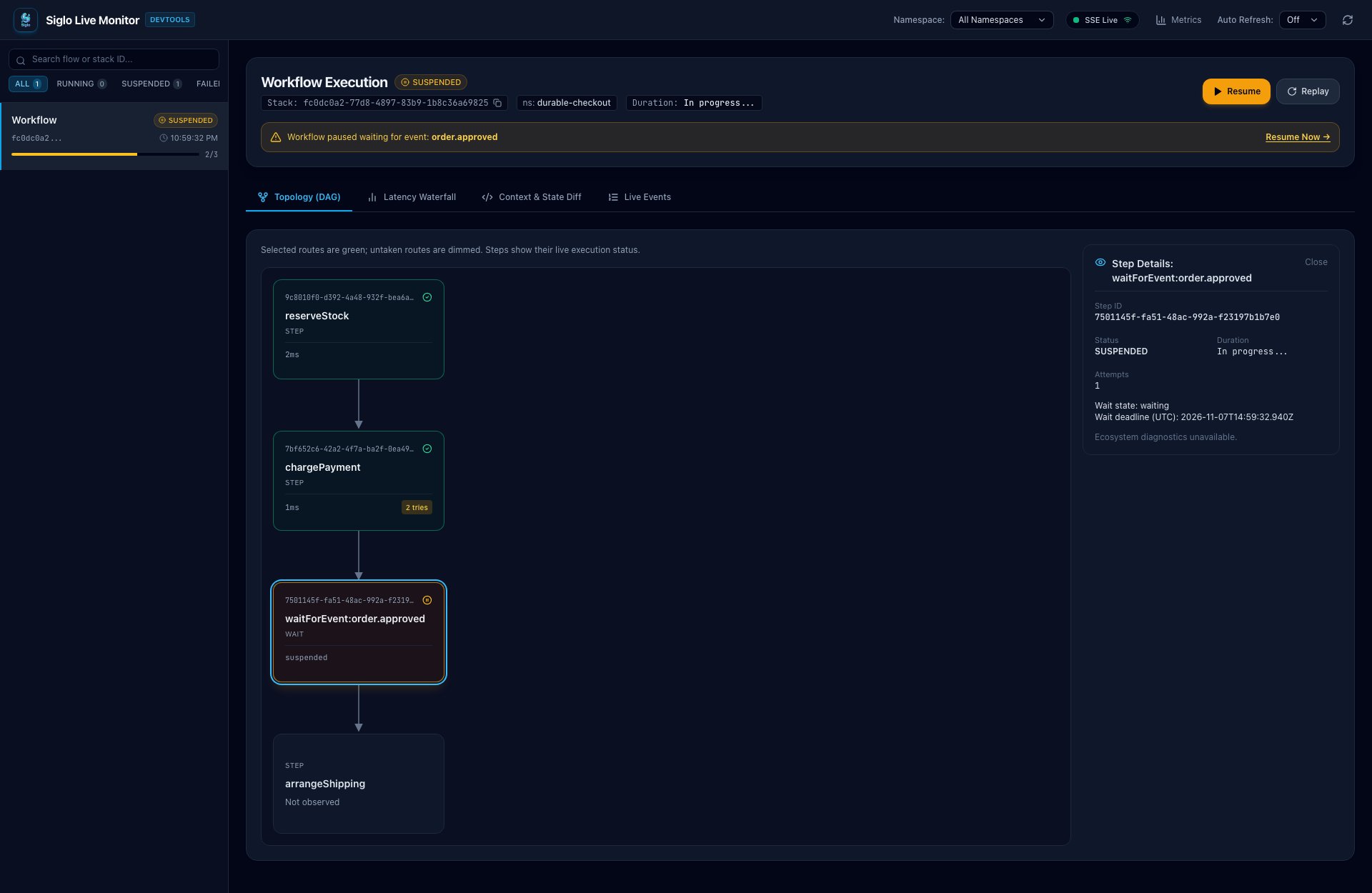
Siglo decouples notification dispatch from durable suspension. The approval step issues a cryptographically signed action token and dispatches the notification, while a subsequentwaitForEvent node suspends the workflow until the user acts or a timeout occurs.
Live Monitor Suspension & Resumption
WhensendInteractiveApprovalStep dispatches an approval request and registers waitForEvent, the live monitor highlights the suspended execution in amber, displaying the durable wait state and UTC deadline in the inspector:
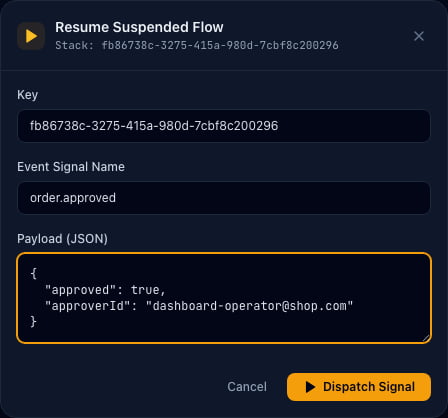
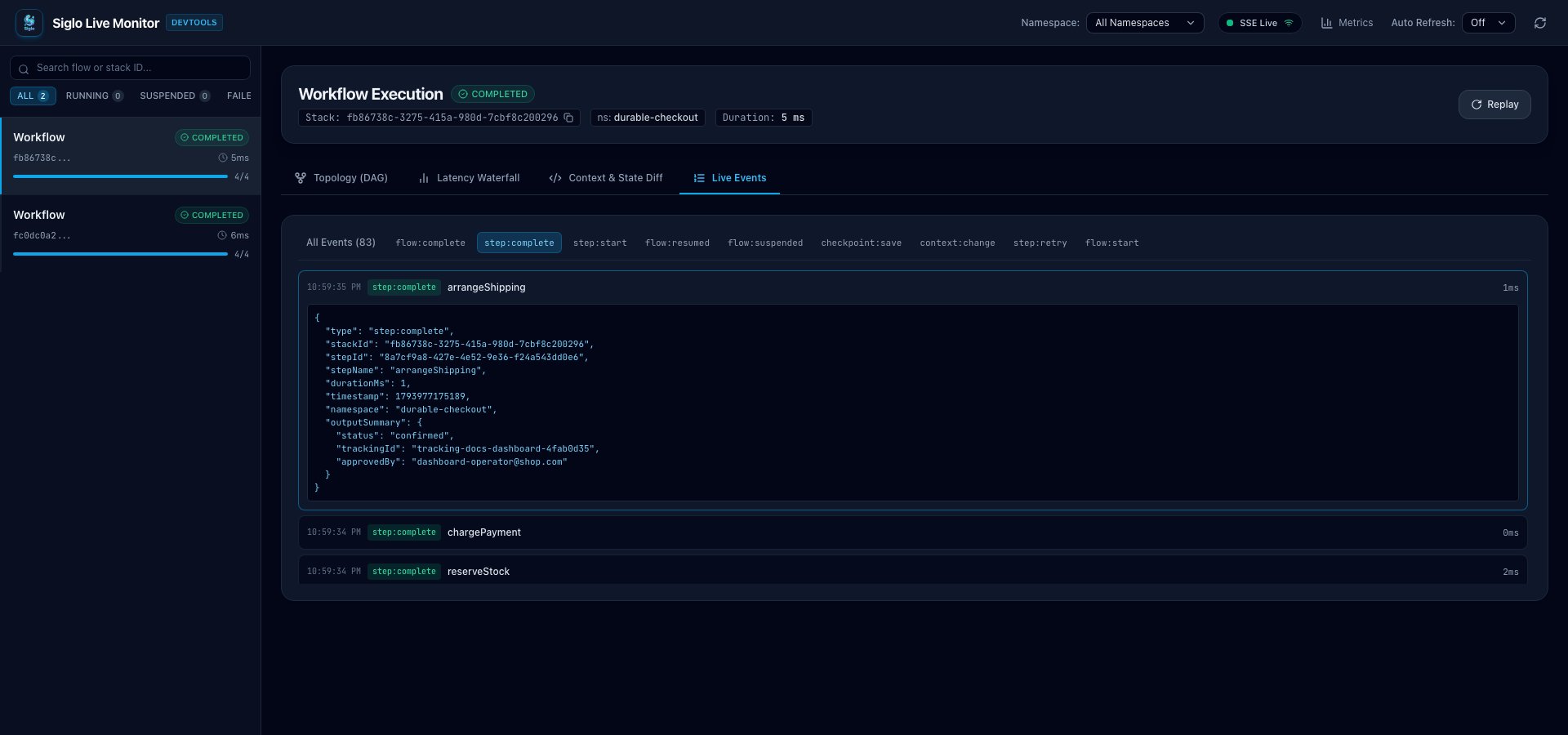
Callback Server Integration
Use the built-in HTTP middleware to handle callbacks in Express, Fastify, or Hono:Safety Guarantees for Callbacks
- Dual-Phase Routing:
GETrequests act as read-only preview/confirmation prompts and cannot mutate workflow state.POSTrequests execute the mutation using token data extracted exclusively from the request body.
- Signed Telemetry Identity: Newly generated action tokens embed signed runtime inspection scopes (
stackId,stepId,stepName,attempt). The callback handler verifies the token signature before recording approval telemetry, guaranteeing that unverified or tampered tokens cannot inject spurious workflow events. - Wait Expiry vs Token Expiry: Token expiry (encoded in the JWT payload) and durable wait expiry (scheduled in the workflow engine) are independent. Neither timeout implies a human rejection; timeouts are treated as separate expiration events.
- Revocation & Lock Store: Callbacks acquire an approval lock on
correlationKeyto guarantee that concurrent approvals, retries, or duplicate callbacks cannot execute concurrently or conflict.
4. CLI Scaffolding
Generate production-ready ecosystem steps and companion tests directly from the terminal using the Siglo CLI:Generation Features
- Factory Pattern: Templates export a
create<Name>Stepfactory function allowing test suites to inject mock transports, HTTP servers, or AI providers without modifying production step files. - Refuses Overwriting: Generation checks for existing files and refuses to overwrite either the step file or its corresponding test file.
- Strict Input Validation: Validates identifiers, URLs, channels, and model options. Unsupported options return clear errors and non-zero exit codes.
- Embedded Offline Tests: Each generated step includes a runnable offline test that requires no live network access or real provider API keys.
5. Offline Testing & Replay Cookbook
The Siglo ecosystem provides dedicated test doubles in package-owned testing subpaths. Run tests without production network access, API tokens, or external dependencies.Complete Offline Test Recipe
The canonical integration recipe lives inpackages/monitor/src/ecosystem.integration.test.ts:
Important Testing Rules
- Serial Execution for Global Fetch Mocks: Because
createMockHttpServerhooks into globalfetch, tests that mock HTTP requests must run serially: - Cleanup in
finally: Always callhttp.close()in afinallyblock to restore the originalglobalThis.fetch. - Step Substitution vs Provider Replay vs Durable Continuation:
- Provider Replay: Executes real application code against recorded provider HTTP/AI fixtures.
- Step Substitution (
harness.mockStep): Completely replaces a step implementation without invoking its internal logic. - Durable Continuation (
resumeWorkflow): Resumes a suspended workflow from a saved checkpoint state.
- Crypto Tests: Crypto webhook tests need no external testing package. Use Node’s built-in
node:crypto(createHmac) to generate signed payloads locally.
6. Live Transport & WebSocket Protocol
The Siglo Monitor server broadcasts execution events and ecosystem inspection records over WebSocket connections and SSE.Connection & Authorization Scopes
Framing & Frame Limits
- Payload Bound: Maximum WebSocket frame payload is 1 MiB (
1048576bytes). Frames exceeding this limit are immediately rejected with WebSocket close code1009 (Message Too Big). - Masking & RFC 6455: Client frames must be masked text. Unsupported fragmentation or non-text frames close the connection with code
1003. - Validation: Incoming inspection records re-verify schema, version (
1), recognized kinds (http,crypto,notification,ai), and bounds before storing or re-broadcasting to other connected clients.